Seven devices. You probably need two of them.
Square sells a full lineup. Your store doesn’t need all of it. Here’s what each one is actually for — including the ones we’d talk you out of.
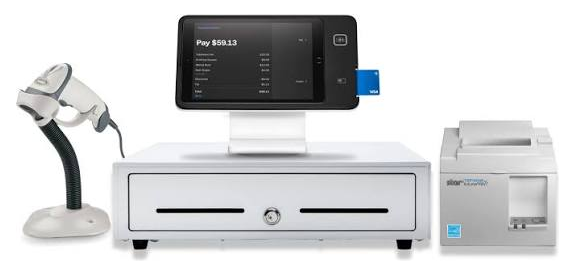
A complete counter — scanner, checkout, drawer, printer.
What each device is honestly for.
Ordered by how often it’s the right answer for a retail floor — not by price, and not by what we’d rather sell.
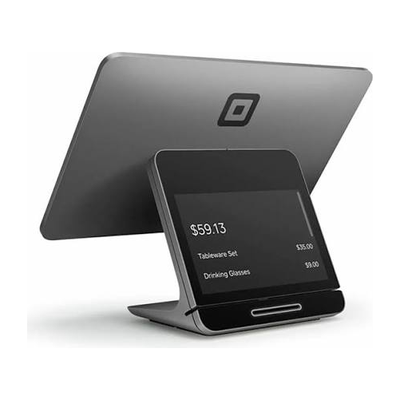
Square Register 2nd generation
The full countertop station
A complete, self-contained register with two screens — one for you, one facing the customer. Nothing to pair, no tablet to source. If your counter is the heart of the store, this is usually the answer.
Best when: Busy counters, staff who change often, one device that just works.
- Two screens — customer-facing display included
- Wi-Fi or Ethernet
- Wall powered
- No additional device needed
- Connects to scanner, printer, cash drawer
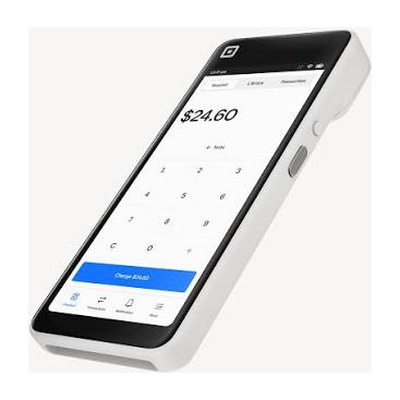
Square Handheld
Barcode scanning that walks the floor
A pocketable POS with a built-in barcode scanner — which makes it genuinely useful for retail, not just payments. Do a cycle count in the aisle, check a price without walking to the counter, or ring someone up where they stand.
Best when: Stock counts, shelf-side lookup, line-busting, selling off the floor.
- Built-in barcode scanner
- Cordless — battery, or plugged in
- Wi-Fi
- No additional device needed
- Contactless & chip (magstripe needs the separate Reader)
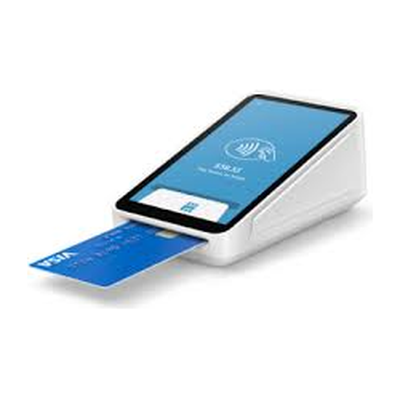
Square Terminal
All-in-one with a receipt printer
A compact card machine with the receipt printer built in. Cordless, so it goes to the customer instead of the other way round. A common, cheap way to add a lane during your busiest hour.
Best when: A second checkout at peak, curbside, markets, pop-ups.
- Built-in receipt printer (2.25″ thermal paper)
- Cordless — battery, or plugged in
- Wi-Fi, or Ethernet with the Hub accessory
- No additional device needed
- Contactless, chip, and magstripe
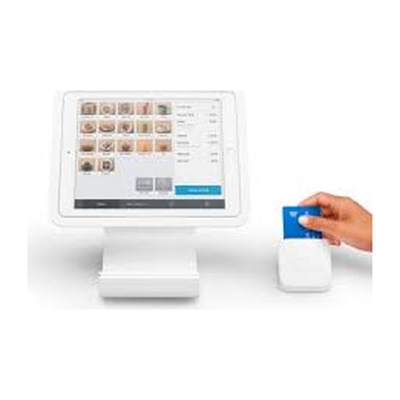
Square Stand
The swiveling iPad counter
Turns an iPad into a countertop register that swivels to the customer. Cheapest way onto a proper counter — but remember the iPad is a separate cost, and it has to be a compatible model.
Best when: Smaller counters, tighter budgets, teams already fluent on an iPad.
- Requires a compatible USB-C iPad (not included)
- Swivels for customer payment
- Wall powered, or runs off the iPad battery
- Internet via your iPad
- Works with standard retail accessories
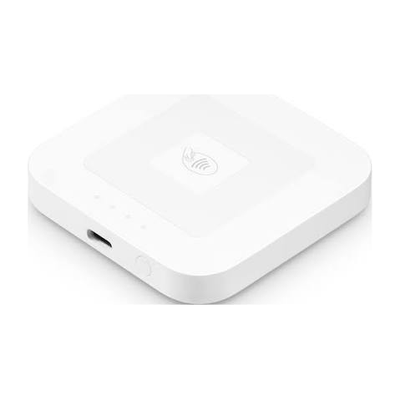
Square Reader (contactless & chip)
Pocket-sized tap and dip
The smallest full-function option — pairs to a phone or tablet over Bluetooth and takes tap or chip. Not a register, but sensible insurance to keep in a drawer.
Best when: Events, markets, mobile retail, or a cheap backup if a lane dies.
- Bluetooth to iOS or Android
- Contactless and chip
- Battery or USB-C charging
- Needs your phone or tablet
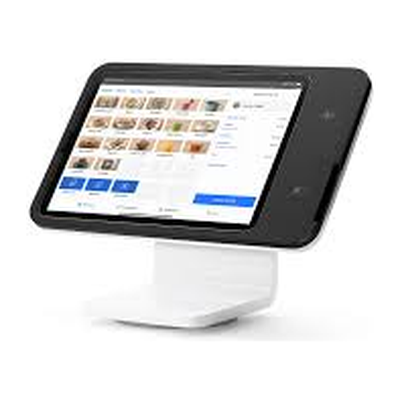
Square Kiosk
Self-service ordering
A self-service iPad kiosk aimed at order-ahead and quick-service. We list it for completeness; for most retail floors it solves a problem you don’t have. The Kiosk app also carries its own monthly fee and subscription requirement.
Best when: Mostly food service. Rarely the right call for retail — ask us before you buy one.
- Requires a compatible USB-C iPad (not included)
- Kiosk app is a separate paid subscription
- Pairs with your primary POS hardware
- Flexible mounting
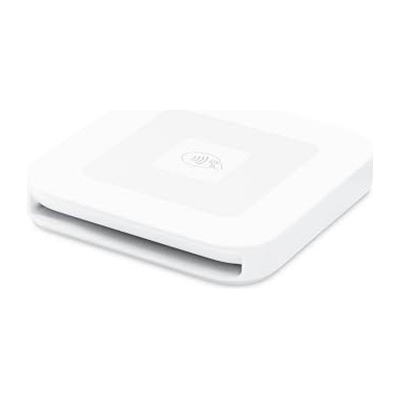
Square Reader (magstripe)
The swipe backup
A swipe-only reader that never needs charging. Mostly relevant as a cheap fallback for older cards. Square has offered the first one free — confirm current terms before promising that to anyone.
Best when: Adds swipe to devices that don’t have it built in.
- Magstripe only
- No charging required
- Plugs into a phone or tablet
Most retail stores land here.
Stand + scanner + printer + drawer
One counter, modest volume. Cheapest route to a real setup — just budget for the iPad.
Register + Handheld
A solid counter that never argues, plus a Handheld for counts, shelf lookups, and busting the queue. This pairing covers most of retail.
Terminal, or Reader + phone
Cordless and portable. The Terminal prints receipts; the Reader is the cheap way in.
A second Register “just in case” when a Terminal does the job for a third of the cost. A Kiosk on a retail floor. Replacing hardware you already own that still works. If you don’t need it, we’ll say so — that’s the entire point of asking us instead of adding to cart.
Accessories that do the real work.
Barcode scanners
Wired for a fixed counter, wireless for shelf-side. (The Handheld has one built in.)
Receipt printers
Plus paper. Unglamorous — and the first thing you notice when it’s wrong.
Cash drawers
Still essential for most retail, even as cash keeps shrinking.
Label printers
Shelf tags and product labels, where compatible.
iPads & mounts
If you’re going Stand or Kiosk, the model has to be compatible.
Hub / Ethernet
Wired networking for the Terminal, where Wi-Fi isn’t reliable.
Networking
Most “broken POS” calls are really Wi-Fi. Worth doing properly.
Scales
Where you sell by weight and the hardware supports it.
Square sells hardware kits as well as individual pieces. Which works out better depends on your configuration — we’ll check both. See Pricing for how the total is built up.
We’ll spec it around your counter.
Tell us your busiest hour, counter layout, catalog size, staff count, and whether you sell off the floor. We’ll recommend a setup that fits — including what to skip.
- We won’t oversell. No station you don’t need, no accessory for the sake of it.
- Keep what works. If your existing hardware carries over, we’ll tell you.
- Room to grow. A kit that extends when you add a lane or a store.
- Transactions in your busiest hour
- Counter space and layout
- How many SKUs you carry
- Whether you sell off the floor or at events
- How many people ring up
- Locations now, and planned
- What hardware you already own
Let’s spec your counter properly.
US-based · replies within one business day